

X

If you use Traffio, your site documentation just got automatic
SiteStory connects directly to Traffio so your bookings appear in the app the moment they’re created. Crews record, videos link, compliance done. Zero extra steps.
Spend less time worrying about site documentation
Connect SiteStory & Traffio to create your automated workflow
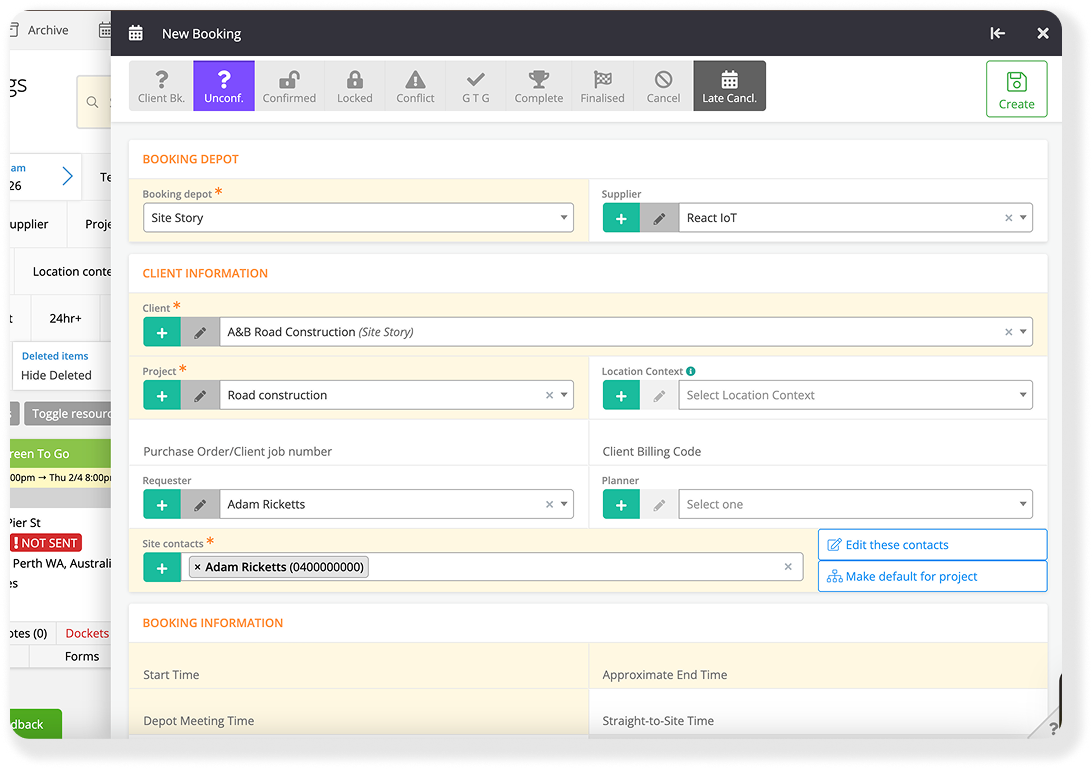
Step 1 - Schedule a Booking in Traffio
Your booking is created in Traffio as normal. Nothing changes in your existing workflow.
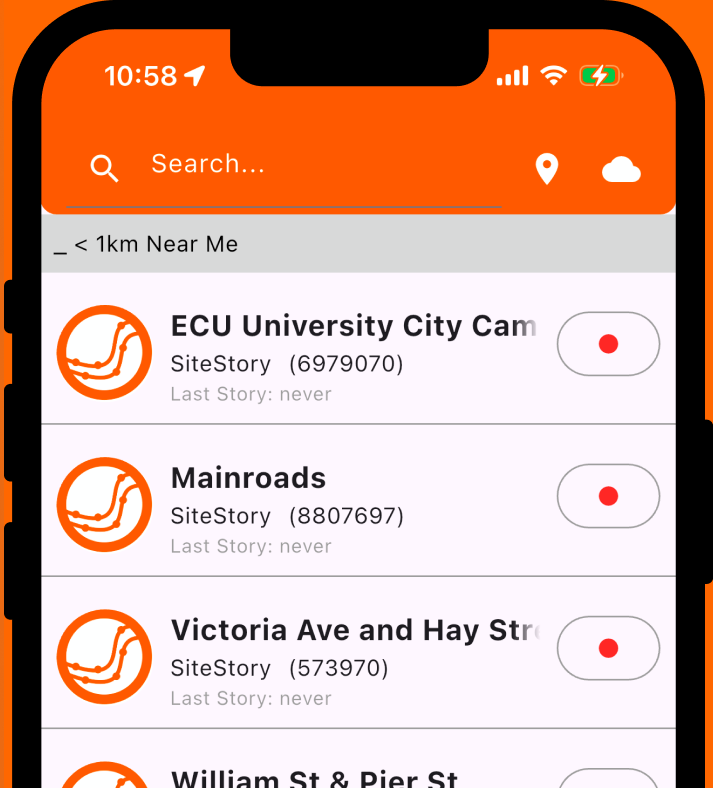
Step 2 - SiteStory syncs automatically
The site appears in the SiteStory app instantly. Your crew opens SiteStory, taps their site, and records. No searching, no manual entry.
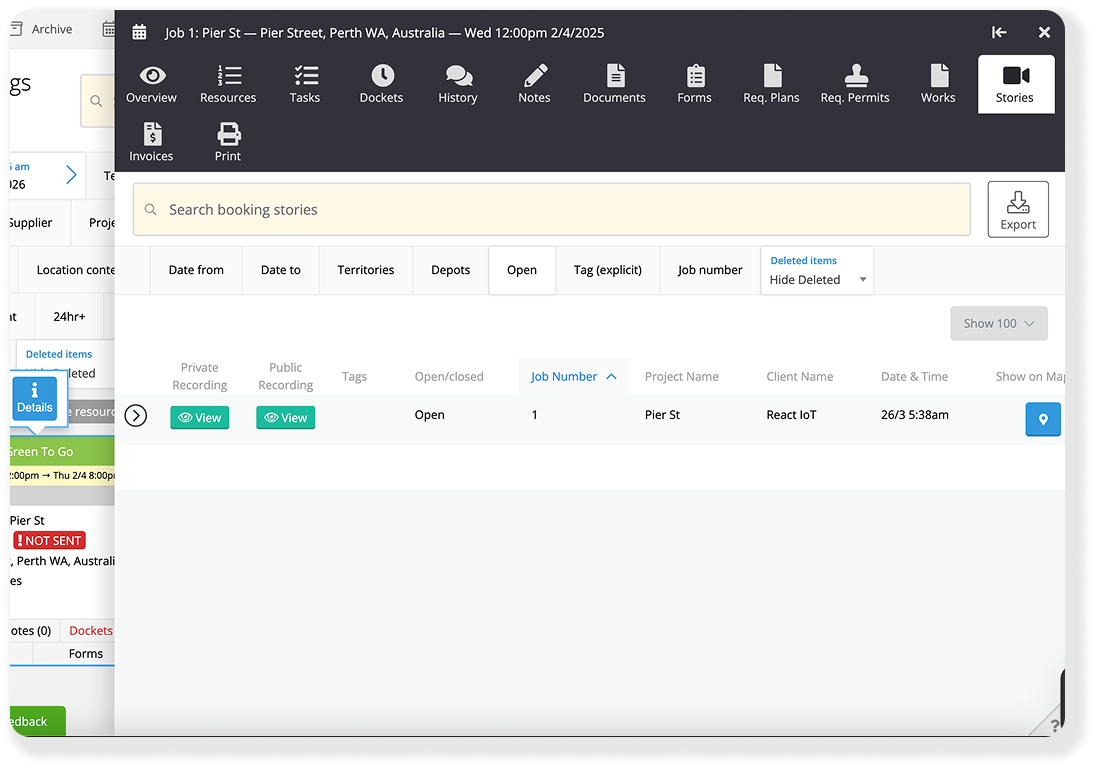
Step 3 - Video links back to Traffio
The Story auto-uploads and the link syncs directly against the booking in Traffio. Your operations team sees complete video documentation across all sites.
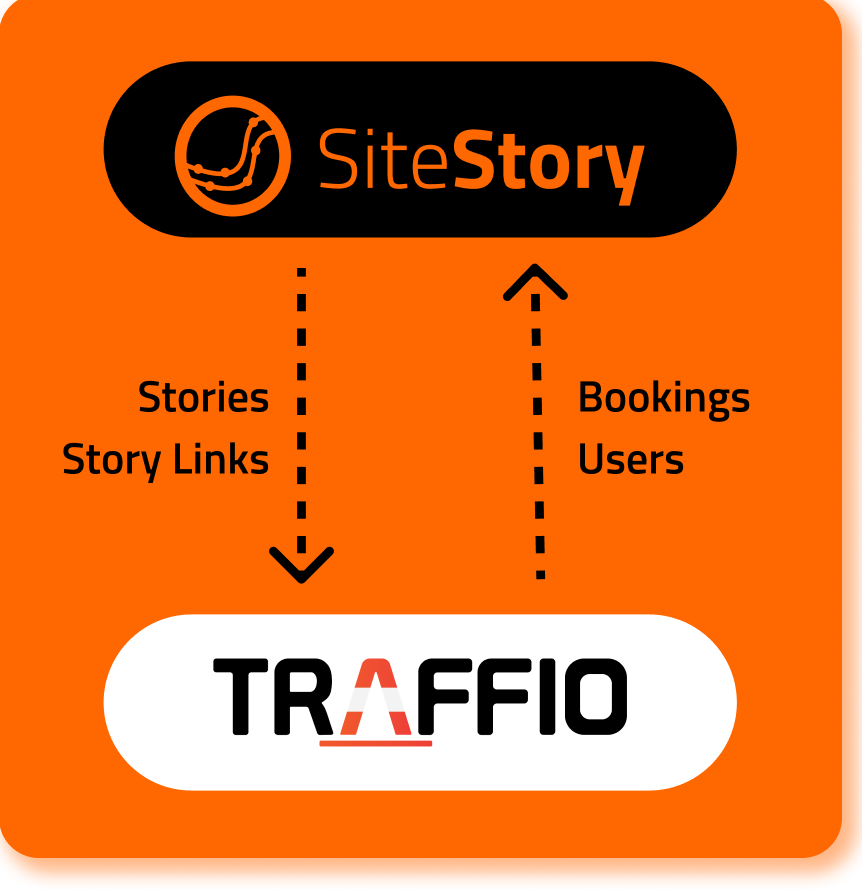
Seamless Automatic Data Sync, No Double Handling
Traffio → SiteStory: Job bookings, site locations, users/crew members
SiteStory → Traffio: Completed Stories, shareable Story links
Automation that benefits your whole operation
Remove 100’s of admin hours, to allow your team to operate at their best
For Team Leaders
Your sites are already listed when you open the app. No searching, no typing. Just tap your site and hit record. Documentation that used to take extra steps now takes none.
For Operations Managers
By end of day, every site has a timestamped, geolocated video automatically linked to its booking in Traffio. You can see which sites are documented and which aren't in real-time, without calling anyone.
For Business Owners
Give clients a link to their site's video evidence directly from Traffio. Prove compliance, resolve disputes in hours, not weeks, and differentiate your business from competitors still relying on photos.
Your new automated workflow
Your operations coordinator creates 12 job bookings in Traffio at 8AM. All 12 automatically appear in SiteStory. Crews record throughout the day and your team can instantly check for compliance. By 4PM, your Operations Manager can see all 12 sites have complete video documentation, directly inside Traffio. Zero manual administration.
“Since implementing SiteStory, the most significant challenge GAME has been able to address is the ability to provide clear and accurate evidence of traffic management set-ups. SiteStory enables us to deliver video footage, rather than relying solely on photographs, which offers a far more comprehensive and reliable account of site conditions. This capability has proven invaluable in demonstrating compliance to both our customers and relevant government agencies, strengthening confidence in the quality and safety of our operations.”
Stephen Owen, General Manager

FAQs
Do I need a SiteStory account to connect with Traffio?
1
Yes, you will need an active SiteStory workspace on a paid subscription plan.
How long does the integration take to set up?
2
You can connect your Traffio account with your SiteStory workspace in less than 10 minutes. You will need to be a System Administrator for both systems to set up the integration. Help guides are available in both the SiteStory and Traffio Help Centres.
Does it cost extra for the integration?
3
No, Traffio integration is included with your existing SiteStory subscription plan.
What if I use Traffio for multiple of job booking types?
4
No problem, when you create your Traffio integration for your SiteStory workspace, you can apply filters based on your Traffio Depots, Clients, Projects and Tags, to control which Traffio bookings are synced with SiteStory.
Already using Traffio? You're halfway there. Connect your SiteStory account and have automatic site documentation running today.